Upload your Loan Estimate.
It's the document your lender sent you, usually three pages, titled Loan Estimate. AI reads it here, line by line.
Never seen one of these before? That is normal. Every lender uses the same three page form, so once you can read one, you can read any of them. Want to see what you get first? Read a finished inspection.
The reading takes a few seconds.
PDFs or photos, up to 8 pages. If your lender sent a link instead of a file, open it and save or screenshot each page.
Not sure you have the right document?
No lender pays us and there is nothing to sell you after your report. You pay $29 once, and that is the entire business.
Your file is read by AI, never by a person. It is never used to train the AI. Your file is deleted once your report is delivered, and we never share it.
Not sure you have the right document?
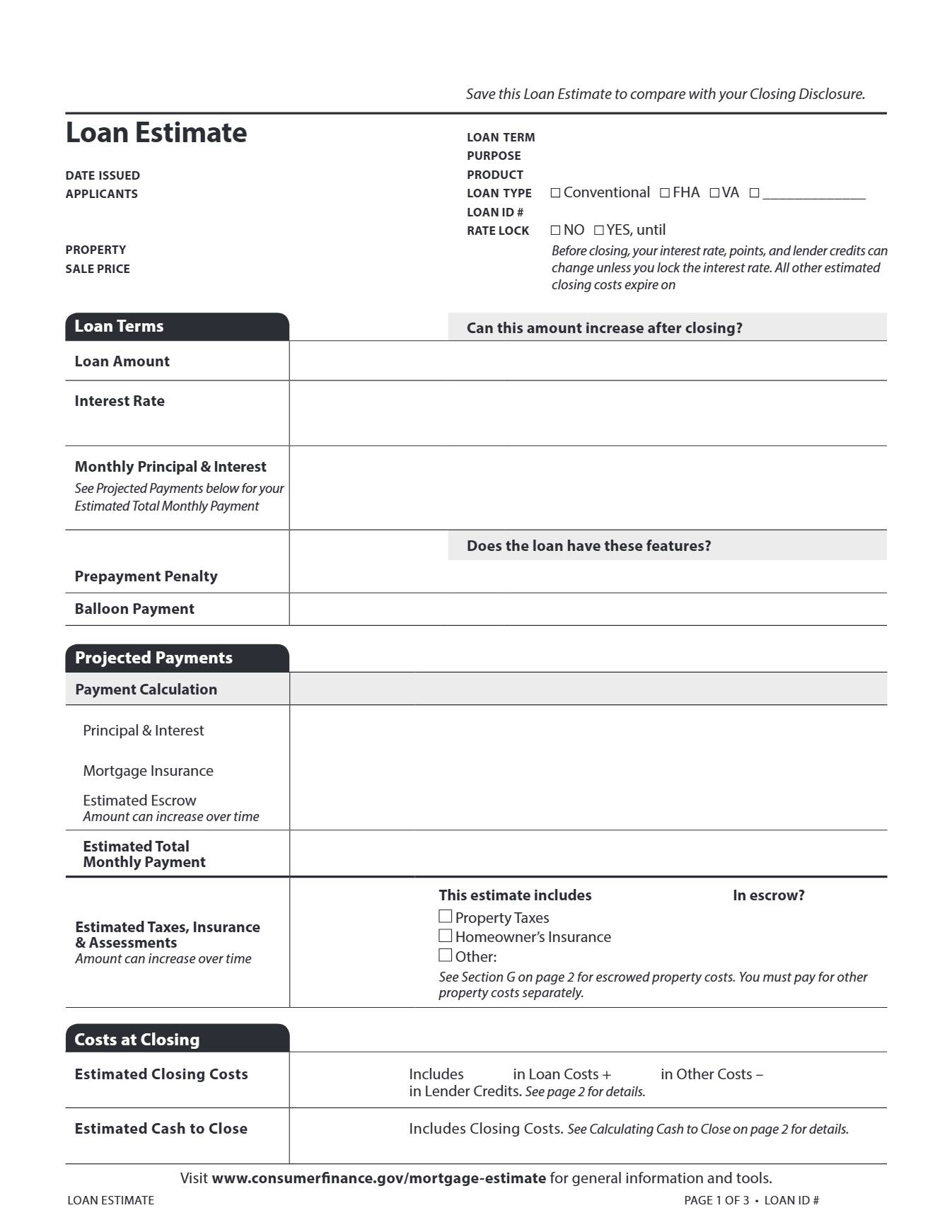
- 1Title, top left of page 1: it says "Loan Estimate".
- 2Date Issued, directly under the title.
- 3Rate Lock, last row of the facts block on the right.
- It says Loan Estimate at the top left of page 1.
- It is three pages. The Closing Disclosure is five pages and comes later, near closing.
- A pre-qualification letter or a rate quote sheet is not a Loan Estimate.
Look for the Rate Lock box near the top of page 1. If it says YES, your pricing is already set, and we grade your numbers against the market on the day your Loan Estimate was issued. The date printed in that box is when the lock runs out, not the day you were priced. If it says NO, your estimate can still change, and we grade it against today's market instead. Either way your report says which day it used.
Your lender may use its own name for a fee. Same form, same lines.
- Application fee
- Also billed as an admin or processing charge. A lender fee for taking your file.
- Commitment fee
- Also called a lock-in fee. A lender charge for reserving your rate.
- Document preparation
- Also billed as doc prep. A lender charge for assembling your closing paperwork.